Multi-Tenant SaaS Architecture: Shared Schema, Schema-per-Tenant, or Database-per-Tenant?
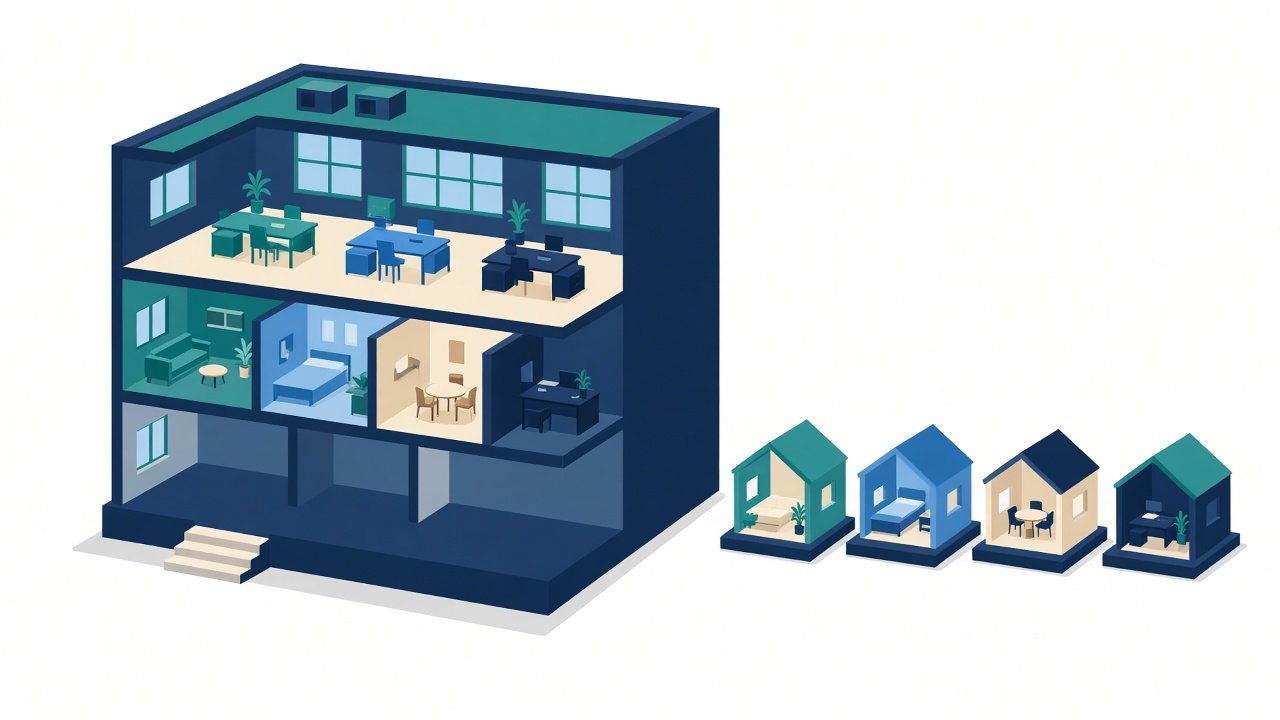
There are three common ways to store data for many customers in one SaaS product. A shared schema puts every tenant in the same tables with a tenant ID on each row: cheapest and simplest to run, but isolation depends on your code and database rules. Schema-per-tenant gives each customer its own set of tables inside one database. Database-per-tenant gives each customer a separate database: the strongest isolation, at the highest running and operating cost. Most products start with a shared schema and move only the tenants that need it to their own database.
This guide explains each model in plain English, how to keep tenants apart, and when to switch. If you're new to the topic, our earlier post on building scalable SaaS products covers the basics.
What does "multi-tenant" actually mean?
A tenant is one customer account: a school, a league, a company. Multi-tenant means one running product serves all of them, and each tenant must see only its own data. The question is not whether to isolate tenants, but where the wall goes: in the rows, in the schema, or in the database itself.
What is the shared-schema model?
Every tenant's data lives in the same tables. Each row carries a tenant_id, and every query filters on it.
- Good: one database to back up, monitor and migrate. Adding a tenant is just a new row. Cheapest per tenant.
- Risk: one missing
WHERE tenant_id = ...can show one customer another customer's data. Isolation is only as strong as your discipline. - Fits: many small or medium tenants with similar needs.
What is schema-per-tenant?
One database, but each tenant gets its own schema (its own copy of the tables). In PostgreSQL, the application sets the search path for the tenant on each connection or request.
- Good: clearer separation; a tenant's data can be exported or restored on its own more easily.
- Risk: every migration runs once per schema. With hundreds or thousands of tenants, migrations, connection handling and monitoring get harder.
- Fits: a moderate number of tenants who want visible separation.
What is database-per-tenant?
Each tenant gets a separate database, sometimes on a separate server.
- Good: strongest isolation; per-tenant backups, restores, data location and performance tuning; one tenant's heavy usage doesn't slow others.
- Risk: highest infrastructure and operations cost. You need automation for provisioning, migrations and monitoring across many databases.
- Fits: large or regulated customers, or customers who contractually require their own database.
How do the three compare?
| Shared schema | Schema-per-tenant | Database-per-tenant | |
|---|---|---|---|
| Isolation | Application + database rules | Schema boundary | Separate database |
| Cost per tenant | Lowest | Medium | Highest |
| Migrations | Once | Once per schema | Once per database |
| Noisy-neighbour risk | Highest | High (same database) | Lowest |
| Per-tenant restore | Hard | Easier | Easiest |
| Onboarding a tenant | Insert a row | Create a schema | Provision a database |
How do you keep tenants isolated in a shared schema?
Don't rely on every developer remembering the filter. Layer the defences:
- Resolve the tenant on the server. Work out the tenant from the logged-in session or subdomain, never from a value the client sends in the request body.
- Scope queries in one place. Use a base repository, ORM scope or middleware that adds the tenant filter automatically.
- Add database-level rules. PostgreSQL row-level security (RLS) lets the database itself refuse rows that don't belong to the current tenant, so a forgotten filter returns nothing instead of someone else's data. Note that table owners and superusers bypass RLS by default, so the application should connect as a role that doesn't own the tables.
- Scope everything else too. Caches, file storage paths, search indexes, background jobs and logs need the tenant ID as well. Leaks often happen there, not in the main tables.
- Test for it. Automated tests that log in as tenant A and try to read tenant B's records.
The same thinking applies to AI features. An agent that queries a live database should have the tenant enforced on the server, not trusted from the model.
What about billing and noisy neighbours?
In a shared database, one tenant running a huge report can slow everyone. Common fixes: per-tenant rate limits, queues for heavy jobs, read replicas for reporting, and tracking usage per tenant so you can see who is driving load and, if your pricing works that way, bill for it. Recording tenant ID on every job and request makes this possible later; adding it afterwards is painful.
When should you move a tenant to its own database?
Consider it when a tenant:
- needs data stored in a specific region or on infrastructure they control;
- has a contract or audit requirement for physical separation;
- is large enough that its load affects other tenants;
- needs its own backup and restore schedule.
A hybrid is normal: most tenants on a shared schema, a few large ones on dedicated databases, with the same application code routing each tenant to the right connection. Design the tenant-to-database lookup early, even if every tenant points at the same database at first.
How do our own products handle it?
All three of our multi-tenant products, ConnectEdu for schools, PowerAuction for sports leagues and StockFlow for retailers, use a shared database with a tenant ID on every row. Many schools run on ConnectEdu that way.
How do you choose?
- Starting out, many similar customers: shared schema with server-side tenant resolution and RLS.
- Fewer customers who want visible separation: schema-per-tenant, if you can automate migrations.
- Enterprise or regulated customers: database-per-tenant for those customers, shared for the rest.
- Unsure: start shared, keep a tenant-to-database lookup, and move tenants when one of the triggers above appears.
Frequently asked questions
What is the most common multi-tenant model?
A shared schema with a tenant ID on every row. It's the cheapest to run and the easiest to operate, which is why most SaaS products start there.
Is a shared database secure enough?
It can be, if the tenant is resolved on the server, queries are scoped automatically, and the database enforces row-level rules such as PostgreSQL RLS. The risk is a single missed filter, so the protections should not depend on every query being written correctly.
What is row-level security in PostgreSQL?
A database feature that applies a policy to every query on a table, so a session only sees the rows the policy allows, for example rows where the tenant ID matches the current tenant.
When is database-per-tenant worth the cost?
When a customer needs physical separation, a specific data location, its own backup schedule, or when its load affects other tenants.
Can you mix models?
Yes. Many products keep most tenants on a shared schema and move a few large or regulated tenants to dedicated databases, routed by a tenant-to-database lookup.
Review your SaaS architecture with us
Planning a multi-tenant product or worried about how your current one isolates customers? Book a 30-min call or email hello@inraylabs.com. See also our SaaS product engineering service.