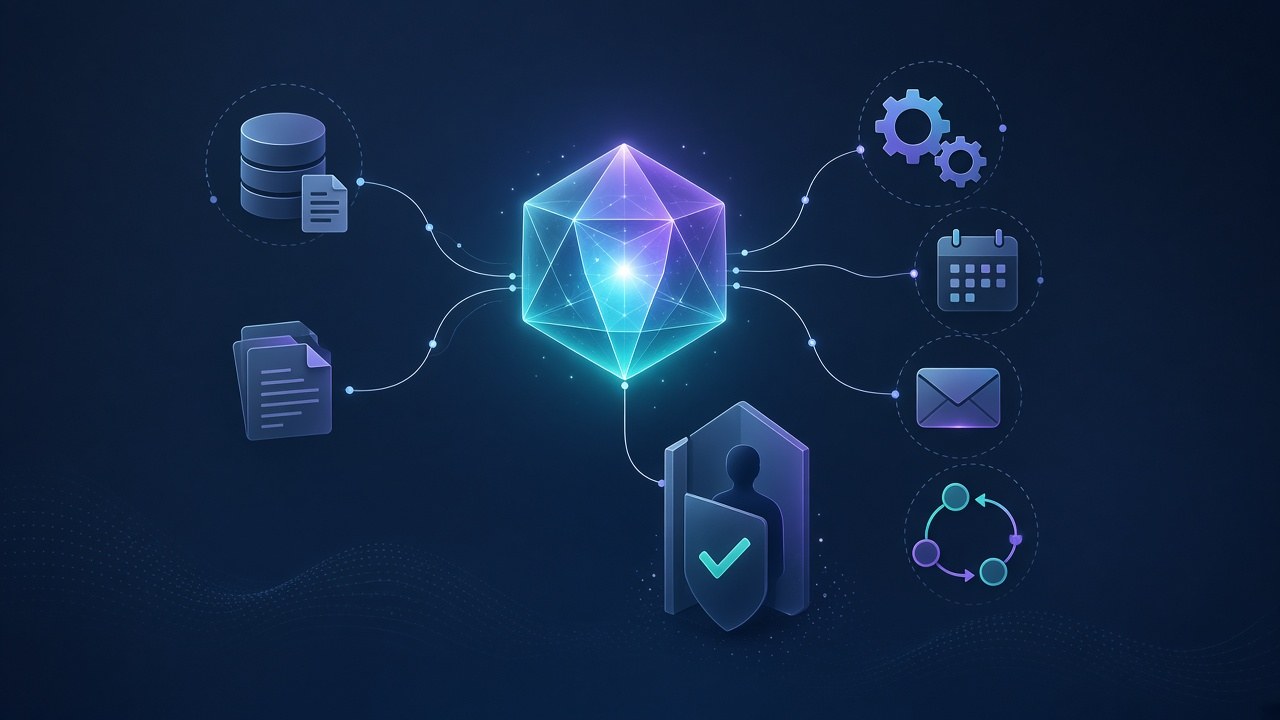
An AI agent is not just a smarter chat box. It can call tools, read your systems, take actions you approve, and hand unfinished work to a person. The chat window is often the front door; what happens behind it is what makes it an agent.
If you already know how an AI agent differs from a chatbot, this post goes one level deeper: tools, actions, limits, and how to tell whether you need an agent at all.
What does “tools and actions” mean for an AI agent?
A language model on its own generates output. An agent gets work done because someone connected it to tools — controlled capabilities it is allowed to use:
- Look something up. Read a CRM record, an order status, a fee balance, a calendar, or a knowledge base.
- Write something back. Create a ticket, update a field, book a slot, or mark a task done.
- Send a message. Email, WhatsApp, SMS, or an internal notification — only through channels you’ve connected and within the permissions you’ve set.
- Trigger another system. Start a workflow, call an API, or pass a job to another agent.
The agent chooses a tool, reads the result, and chooses the next step. That repeated process is how it completes a task. Some systems divide the work between agents: one plans, another looks up information, and another drafts a reply.
The exact setup depends on the job. An agent may need document search, voice capabilities, or access to a business system; it does not automatically need all three.
What kinds of work can an agent take on?
Agents are useful for tasks that end in something done, not only something said. Common patterns include:
- Answer with live data. “What’s outstanding on this invoice?” needs today’s numbers, not last month’s PDF.
- Complete a multi-step request. Find the booking, check free slots, offer options, update the calendar, and confirm.
- Triage and route. Read an inbound email or form, classify it, create the right ticket, and notify the owner.
- Background jobs. Run on a schedule or trigger — summarise overnight activity or flag exceptions — with no chat window at all.
- Human-facing outreach. A voice or messaging agent can talk to people, then write the outcome back into your system. We put one to work automating ConnectEdu school outreach; I also use a team of agents in my own day.
None of these require the agent to know everything. They need clear goals, the right tools, and data accurate enough to trust.
What should an agent not do on its own?
An agent that can act can also act wrongly. High-impact steps should have explicit controls, with human approval as the starting point.
Examples include:
- Changing money, prices, invoices, or refunds
- Sending messages to customers or the public
- Deleting or overwriting records
- Granting access or changing passwords and permissions
- Anything irreversible or hard to undo
In a human-in-the-loop setup, the agent prepares the action, a person confirms it, and then the tool runs. Any later automation should have a clearly defined scope, suitable checks, and a way to stop or recover from errors. Reliability on a simple task is not permission to take on unrelated, higher-risk actions.
How do you decide what the agent is allowed to touch?
Before quoting or building, map three things:
- Data sources. Which systems hold the authoritative records? Who can access them? How fresh is the data?
- Actions. Which updates and messages are allowed, which need approval, and which are forbidden?
- Handoffs. When the agent is unsure, wrong, or blocked, who takes over and how?
During scoping, we check data sources, access, and freshness before we quote a build. If the records are incomplete or outdated, those problems need attention before automating the work.
We also tell clients when a chatbot would be enough: if a chatbot will do the job, we’ll tell you. Adding actions introduces integration, testing, and maintenance work. Choose them because the task needs them, not because “agent” sounds more advanced.
If you’re still framing the project, start with how to scope an AI agent project and the build vs buy checklist. Tools, integrations, testing, and ongoing review are covered in what drives AI agent development cost.
What does a good agent setup look like day to day?
A practical setup usually includes:
- A clear goal per agent. A well-defined job is easier to test than a vague “help with everything” instruction.
- Tools with narrow permissions. Prefer “update this field” over unrestricted database access.
- Logs of tool calls, outcomes, and approvals, with appropriate privacy and retention controls.
- A handoff to a person with the relevant context attached.
- A test set of representative tasks to run before changes go live.
- A named business owner after launch.
Multi-tenant products add another requirement: each customer’s data and permissions must stay isolated. That belongs in the initial multi-tenant SaaS architecture discussion, not as an afterthought once the agent is live.
A short checklist before you commit to an agent
Ask yourself:
- Does this task need an action in a system, or only an answer?
- Can we name the tools and the systems they touch?
- Is the data accurate, accessible, and fresh enough?
- Which actions need human approval every time?
- Who reviews failures and owns updates after launch?
- Would a chatbot cover most of the need with fewer permissions?
If most requests need answers only, start by assessing a chatbot. If they need work completed in your systems, plan tools, limits, and handoffs from day one.
Frequently asked questions
What can an AI agent actually do?
It can use connected tools to look up live data, update records, send messages, trigger workflows, and hand unfinished work to a person. Its capabilities depend on its integrations and permissions.
Is an AI agent the same as a chatbot?
Not exactly. The terms overlap, and some chatbots also use tools. An agent typically chooses and carries out steps toward a goal. What matters is the behaviour and permissions, not the label. See AI agent vs chatbot.
What limits should an AI agent have?
High-impact actions — money, public messages, deletions, and access changes — need explicit controls. Start with human approval or leave them outside the agent’s permissions. Any automated exceptions should be narrowly defined and tested.
Do I always need an AI agent?
No. If requests mostly need answers from documents, a document-search chatbot may be enough. Consider an agent when the task also requires actions or a sequence of decisions in your systems.
Wondering whether you need an agent, a chatbot, or neither? Book a 30-minute call or email hello@inraylabs.com. Learn more about our AI agent development work.